Using AMap to Call a Car: Five Checks
AMap Global can show ride options in English, while some screens or services still show Chinese. These two images are from the developer’s App Store listing; the layout, labels and available ride types can change.
Information checked 2026-09-27. Confirm current rules in the linked source or app.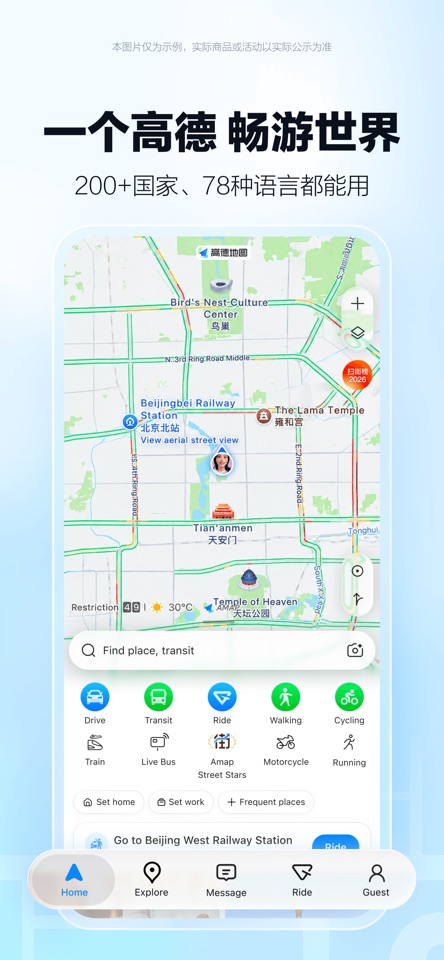
Do this before you go
- 01
From the home screen, find “Ride” (打车). The App Store home screenshot shows Ride in its lower navigation; other versions may place it elsewhere.
- 02
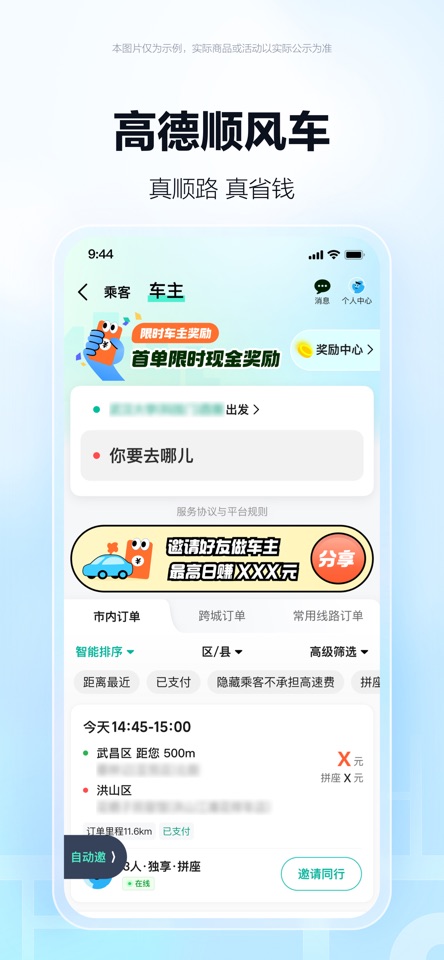
Enter your destination at “你要去哪儿” (Where are you going?) and check the Chinese address and map pin. Confirm your pickup point before requesting.
- 03
Compare the available service types, estimated fare and arrival time. Do not treat 顺风车 (carpool) as a standard taxi; choose the ride type you actually want.
- 04
Before confirming, review the payment method shown in your app. Once matched, compare the driver, vehicle and licence plate with the booking; use the in-app contact option if the pickup is unclear.
- 05
At the end, check the final fare and payment status in the app before leaving. Save the trip record if you need an expense document.
Words visible in the verified screenshots
打车 = Ride / call a car; 你要去哪儿 = Where are you going?; 出发 = Departure; 顺风车 = Carpool; 车主 = Driver/owner in the carpool view. These labels are from the displayed App Store screenshots, not a promise that every version uses the same wording.
What the screenshots do not verify
The store images do not show the current payment selector, driver contact or completion screen. Follow the labels and price in your installed app rather than a memorised button position.
If something gets stuck
I cannot find the same button.
AMap changes its layout and can show English labels. Find the Ride or 打车 service and use the app’s current prompts; do not follow a screenshot blindly.
How do I know I have the right car?
Match the vehicle details and licence plate in your live booking and use the in-app contact option if the pickup is unclear.
You’re ready when: I can identify the destination and pickup, check the ride type and fare, and confirm the vehicle in the live app.